Frequently asked questions.
Short, honest answers about how DDiary works — and how to delete your data again.
Getting started
Do I need to create an account?
No. DDiary has no account with us and no server that sees your journal. Open the app and start. If you want to sync with iCloud, that goes through your own Apple Account.
Can I use DDiary on my own?
Yes. Without a relationship, DDiary is a private journal and everything stays with you. You can always connect with a dom or sub later.
What is a demo relationship?
A test drive. The demo exists only on your phone, sends nothing anywhere, and lets you try both sides — dom and sub. When you remove it, everything invented disappears; your own check-ins stay in your history.
Why do I have to be 18?
DDiary is about sexual content. You must be at least 18 to use the app.
Privacy and security
Who can see my data?
Not us. We have no server that sees your journal, and no access to it.
- Without iCloud sync, everything is only on your phone.
- With iCloud sync, your journal is also in your own private iCloud. We encrypt its contents on your phone first, with a key kept in your keychain — so not even Apple can read them. Apple can still see when things happened and how many entries there are.
- What you share with a partner is encrypted all the way. It passes through our Mailbox at Cloudflare, but neither we nor Cloudflare can read it.
Read more in the privacy policy.
How do I lock DDiary with Face ID?
Go to Profile → Security → Lock DDiary with Face ID. From then on you approve with Face ID, Touch ID or your passcode every time you open the app. The app locks as soon as it goes to the background.
If you can't turn the lock on, Face ID or Touch ID isn't set up on the phone. Turn it on in the phone's Settings and come back.
What can others see if they look at my phone?
- The app switcher shows a neutral surface, not your content — even with the app lock turned off.
- Notifications: DDiary shows no messages on the Lock Screen. When a partner sends something, the app updates silently in the background.
- The app icon and the name DDiary are visible on the Home Screen.
- Your purchase history in the App Store shows the store name “DDiary: Stars & Strikes”. If you share purchases with your family through Family Sharing, the others in the family can see it too. You can hide the app among your purchases in the App Store: swipe left on it and tap “Hide”.
iCloud, a new phone and backups
Is iCloud sync turned on?
No. By default everything stays on the phone, unless you pair with a partner or send feedback. You turn sync on under Profile → Sync → Sync with my iCloud. Your devices then share the same journal through your own iCloud account.
I have a new phone. How do I bring my data?
| With iCloud sync | Restored from a backup | Neither | |
|---|---|---|---|
| Your own journal | Comes along | Comes along | Gone |
| Relationships and what they shared with you | Pair again | Comes along | Pair again |
Relationships, and what partners have shared with you, live only on the phone where you paired. If you change phones without restoring from a backup, you will need to pair again.
What do the iCloud messages mean?
- “You are not signed in to iCloud on this device.” Sign in under the phone's Settings → your name.
- “Your iCloud is full.” Free up space and syncing continues on its own.
- “iCloud is busy right now” or “could not manage all of it at once”. Nothing to do; the app tries again on its own.
- “This version of the app cannot talk to iCloud.” Update DDiary in the App Store.
- “iCloud does not know all of the app's fields yet.” That is our mistake. Write to us if it is still there after the next update.
Deleting
What happens when I tap “Delete all data”?
Under Profile → Data → Delete all data:
- Everything of your own is deleted from the phone: chastity periods, activities, check-ins, Talk to me, rewards and punishments, notes and the block list.
- All your relationships are ended. The others are not notified.
- What your relationships have shared with you is deleted from the phone.
- If iCloud sync is on, the copy in your iCloud is deleted too. If you have turned it off, an earlier copy stays in iCloud — see the next question.
- What you have already shared is not deleted. It stays on your relationships' phones.
- This cannot be undone.
-
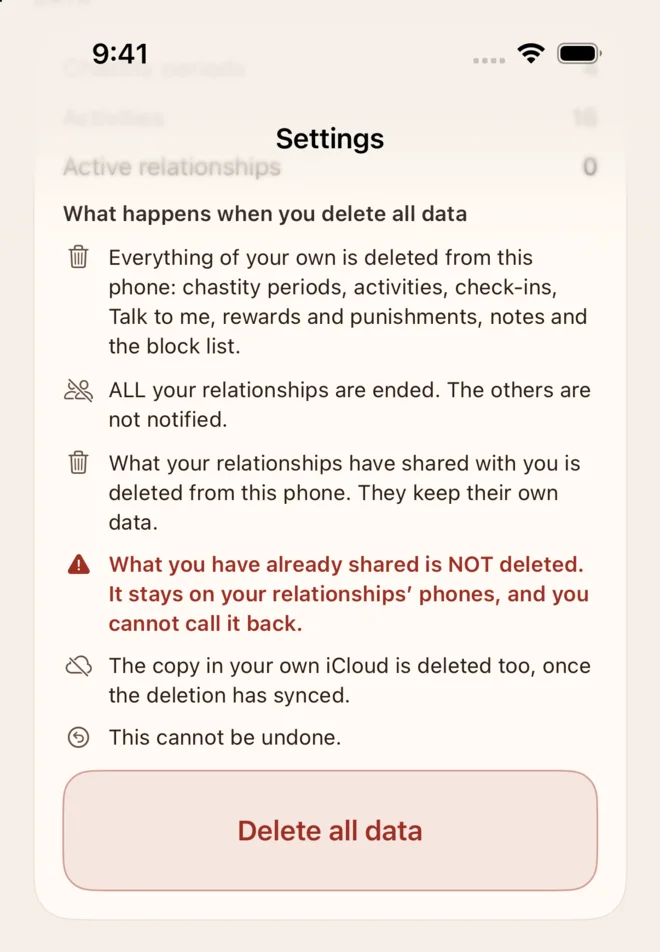 1. Profile → Data
-
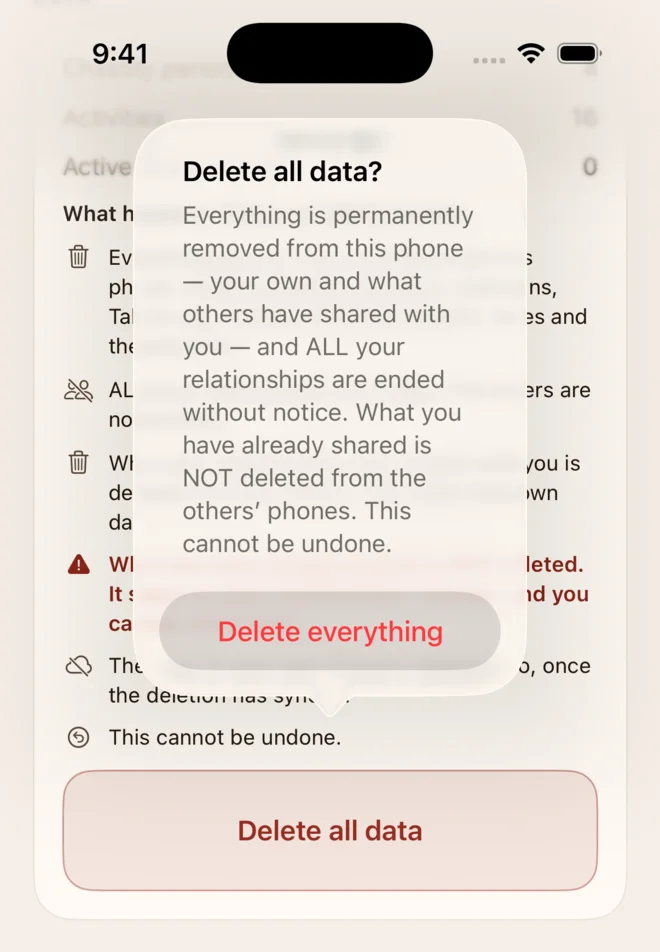 2. Confirm with Delete everything
-
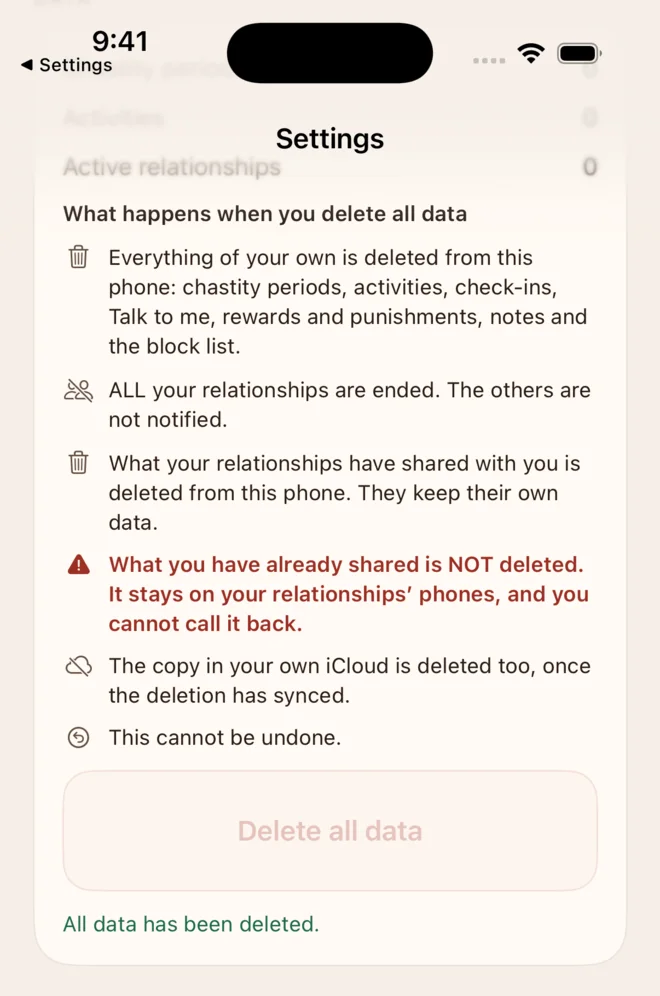 3. Done
How do I delete my data in iCloud?
If sync is on: use Profile → Data → Delete all data (see above). The deletion reaches your iCloud once the app is online. Keep the app open for a moment afterwards — under Sync you can see “Last synced”.
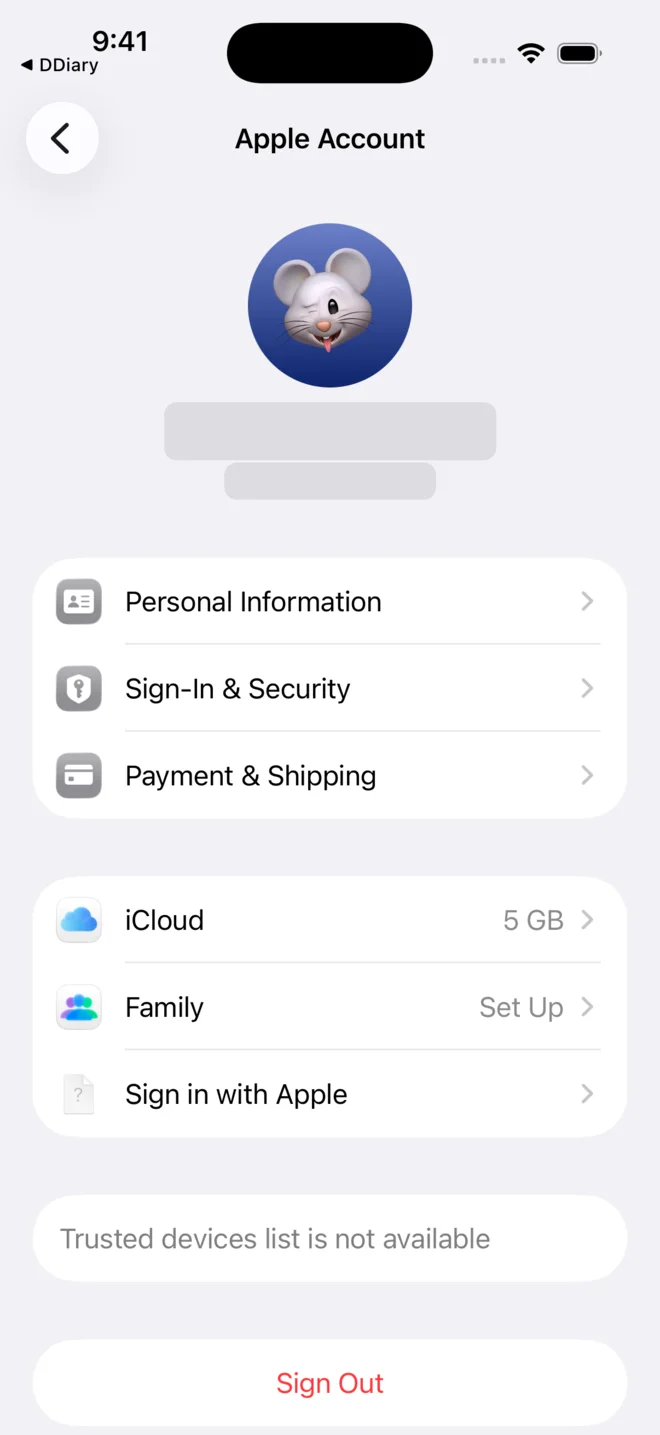
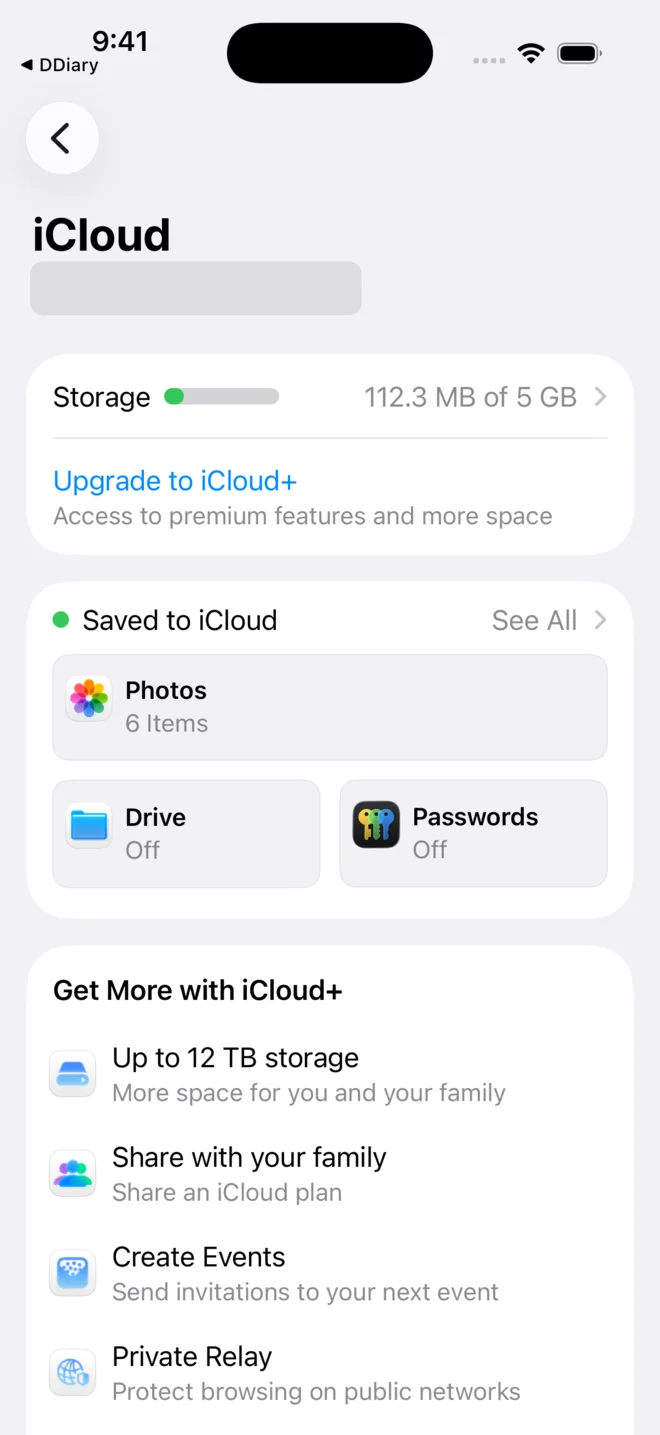
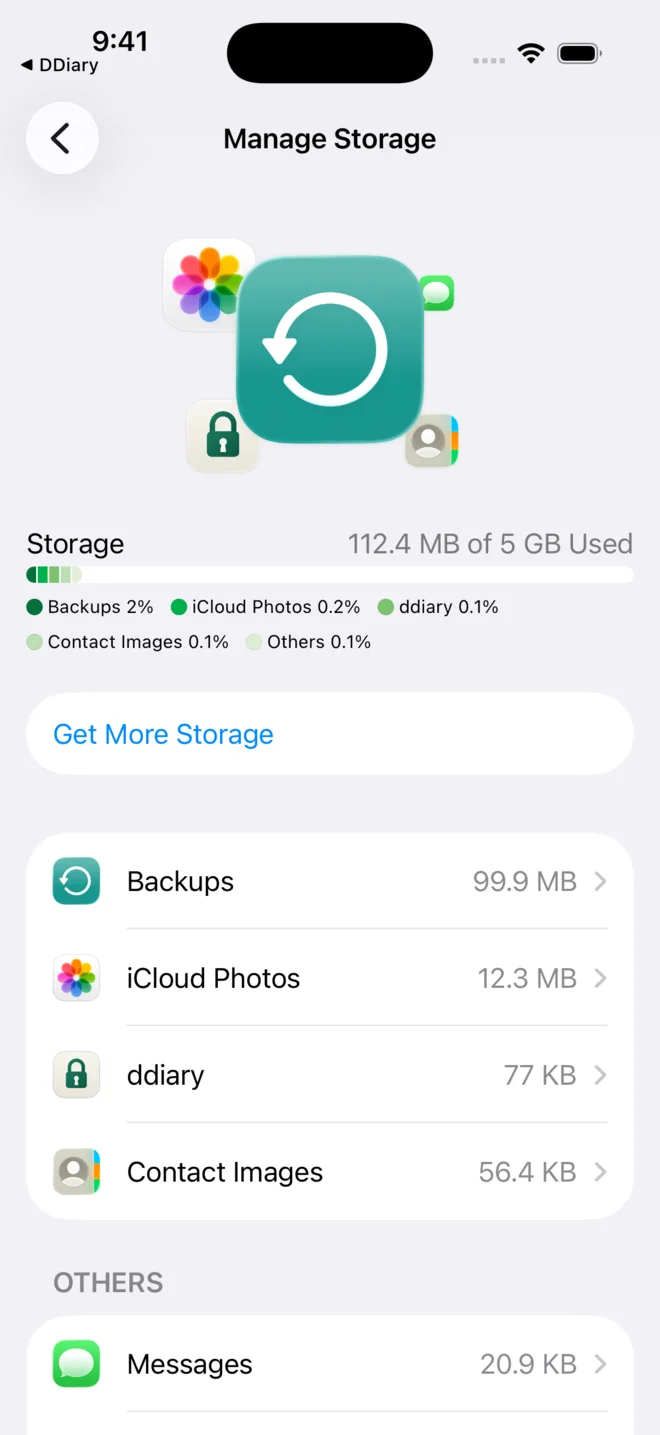
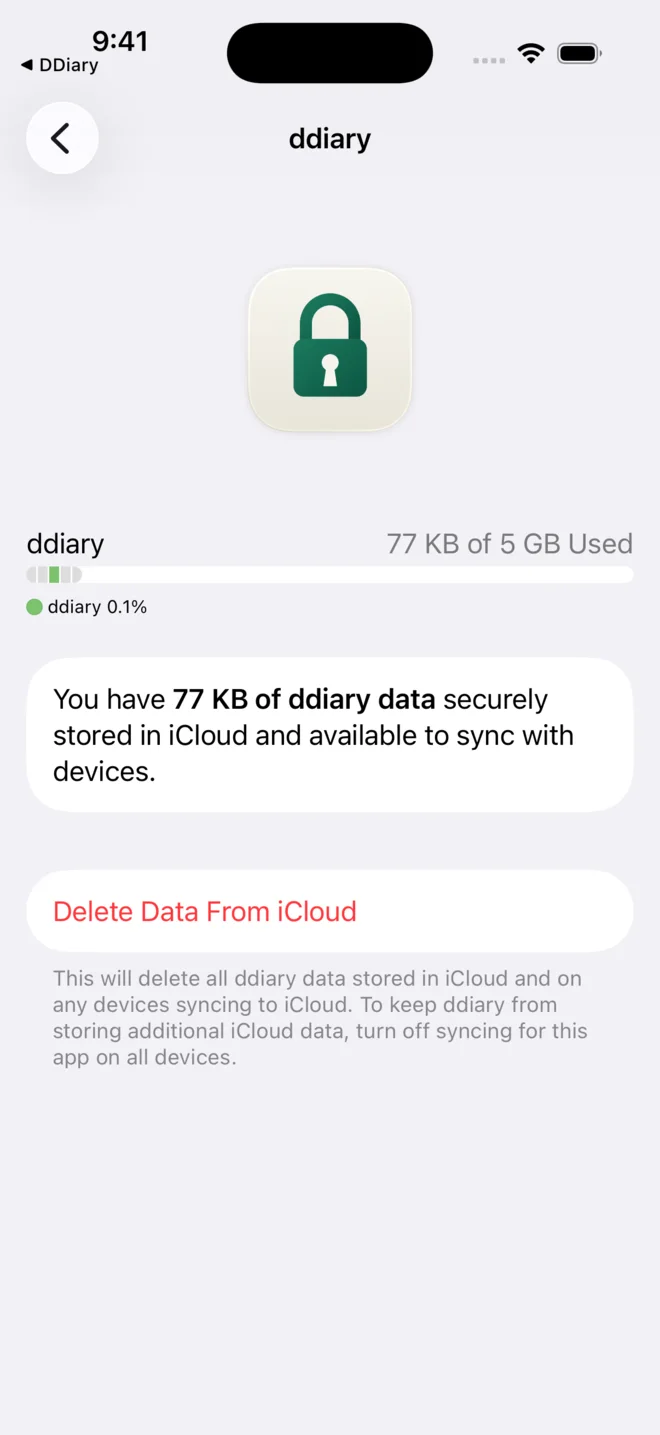
If you have turned sync off — or deleted the app — the copy in iCloud is still there. You remove it in the phone's Settings:
- Open Settings and tap your name at the top.
- Tap iCloud.
- Tap Storage at the top.
- Tap ddiary in the list. If it isn't there, there is no DDiary data in your iCloud.
- Tap Delete Data From iCloud, confirm with Delete and then Permanently Delete.
-
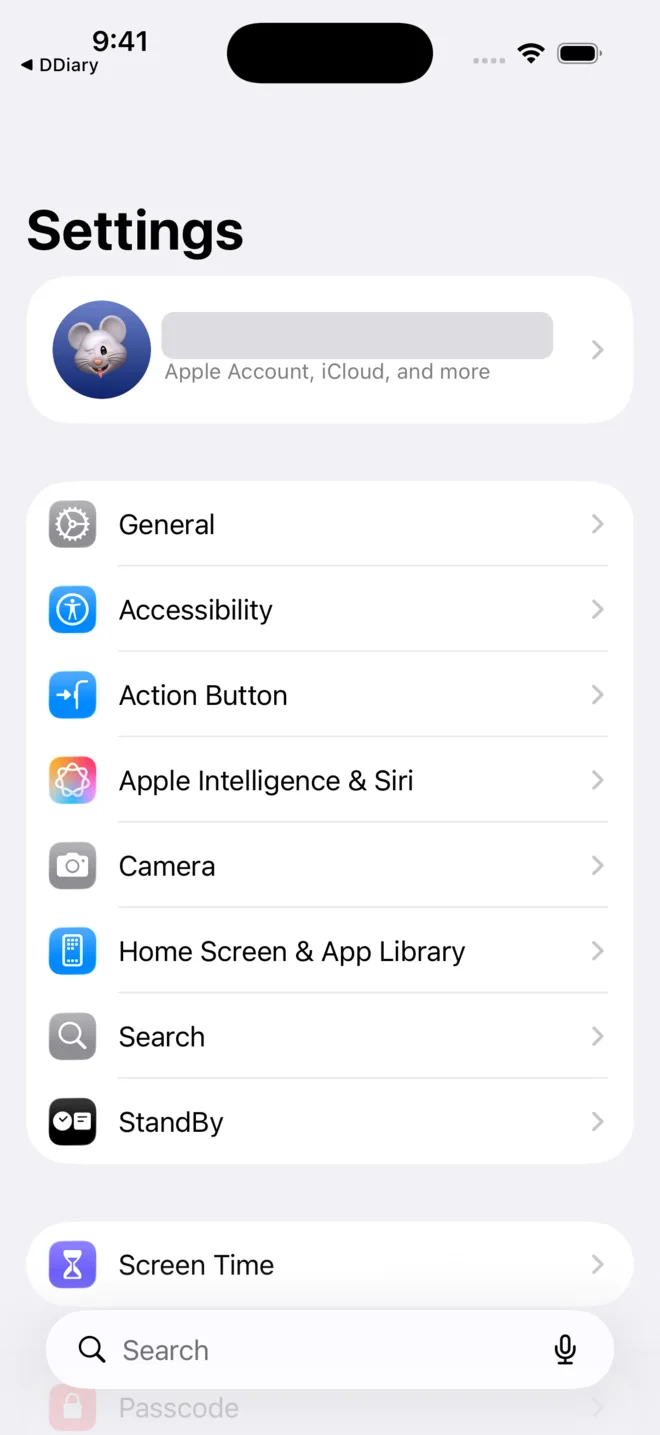 1. Your name at the top
-
 2. iCloud
-
 3. Storage
-
 4. ddiary
-
 5. Delete Data From iCloud
-
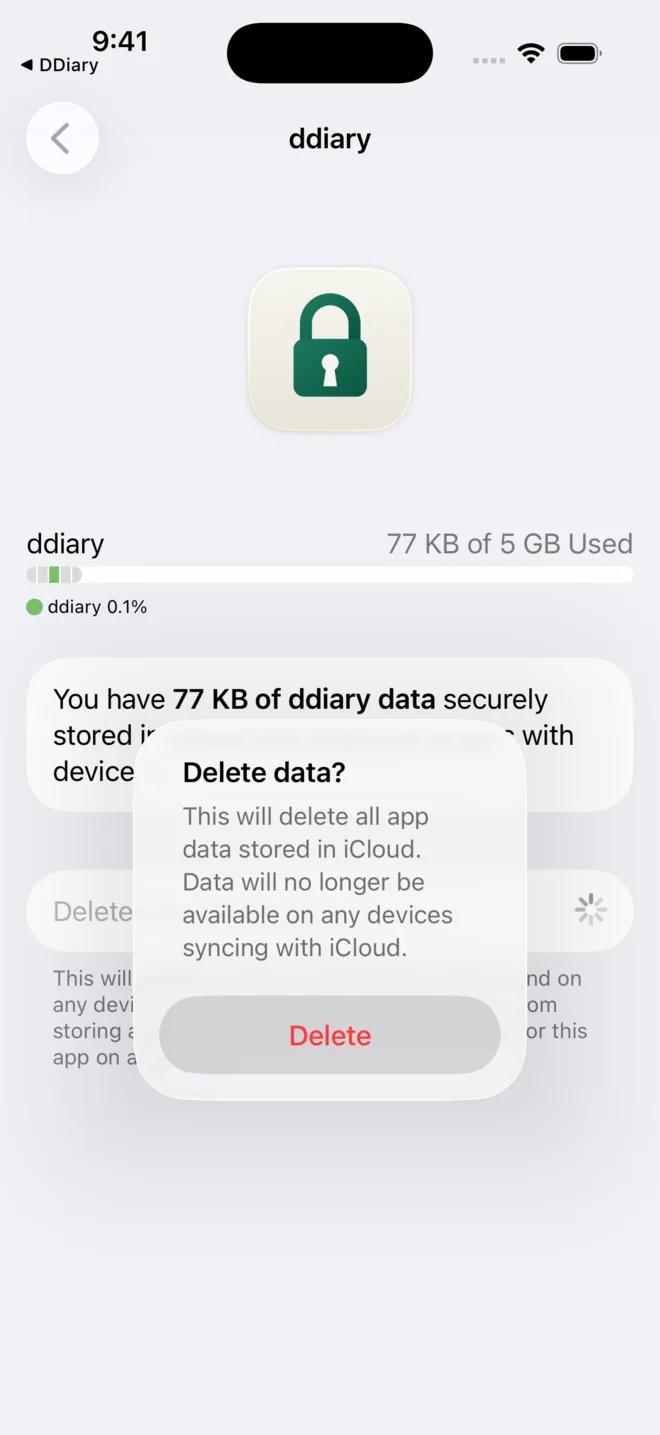 6. Delete
-
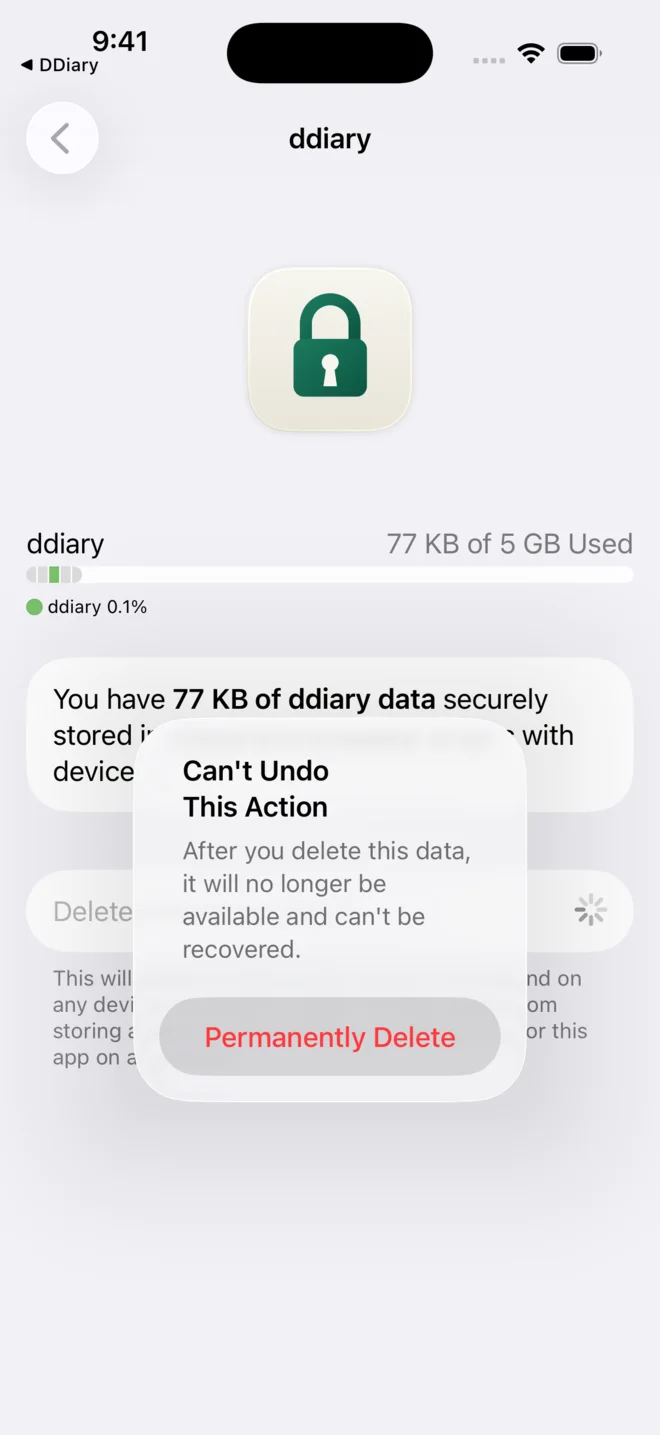 7. Permanently Delete
This deletes only the copy in iCloud. What is on the phone stays until you use Delete all data in the app or delete the app. If sync is still on in the app, it uploads its data again — so delete in the app first.
Also keep in mind:
- An iCloud backup of the whole phone may contain DDiary data until it is replaced or deleted (Settings → your name → iCloud → Storage → Backups).
- What you have shared with a relationship is on their phone — and in their iCloud if they sync. Neither you nor we can delete it.
Can I take back something I have shared?
No. What you have shared stays with the other person — even if you end the relationship, block them or delete all your data. We cannot read what you share, and we cannot delete it for you on their side. So think it over before you turn on sharing in a relationship.
What happens if I delete the app?
Everything on the phone disappears, including relationships. If you have had iCloud sync on, your journal is still in iCloud — see How do I delete my data in iCloud? The same goes for an iCloud backup of the phone.
Relationships and pairing
How do I connect with my partner?
Tap the person icon with a plus in the top right corner.
- If you are together: you scan each other's QR codes on screen. It doesn't matter who goes first.
- If you are apart: you send the codes to each other — in a message, an email, anything — and paste the other's code into the app.
Both phones then show a six-digit code. If it is the same, you tap “The codes match”. Nothing has to be read aloud or typed. If the codes differ, stop, and both of you start over.
Is it safe to send the codes to each other?
The codes contain only random keys — no name and no account — so whoever sees them can neither find nor read what you send each other. But when the codes are sent, DDiary cannot tell whether someone swapped them along the way. So only send them to someone you know, by a route you trust. When you scan each other's screens, there is no route to swap them on.
Can I have several relationships — with different roles?
Yes, up to five at a time. You can be dom for one and sub for another. Each relationship shows what belongs to your role there. If you both choose View, you simply show each other what you share — without check-ins, Talk to me and rewards and punishments.
What is the difference between ending, blocking and reporting?
- End relationship: the relationship and the keys are removed, and everything the other person shared with you is deleted. Your own check-ins stay in your history, now private.
- Block: like ending, but a new pairing with the same person is refused. You can undo it under Profile → Blocked.
- Report: sends a report to us. You decide what goes with it. If you want to both report and block, report first — blocking deletes what the other person sent.
In all three cases the other person gets no notice. For them, things just go quiet.
What happens when the other person goes quiet?
If the other person ends or blocks the relationship, deletes the app or loses their phone, you are not notified. The relationship stays as it was on your phone, and a chastity period they share with you keeps counting.
If you have received nothing from them for 60 days, DDiary marks the relationship as quiet. A shared chastity period then stops counting up and shows as unknown. Nothing is deleted: if you hear from them again, everything is as before, and the period counts from its real start.
Everything the other person sends counts: check-ins, “seen” on what you sent, Talk to me, rewards and punishments, pauses and changes to chastity. What you send yourself does not count. If you don't want to wait, you can always end the relationship yourself.
The features
What are check-ins and Talk to me?
- Check-in: you report in with one tap on the home screen. Your partner can mark it as seen. You can add a note.
- Talk to me: a flag with a short heading when you would like to talk about something. The conversation itself you have together — there is no chat in DDiary.
What is shared with my partner?
Check-ins, Talk to me flags and The Board are always sent. Everything else — chastity and notes, for example — is off until you turn it on, for each partner separately. Your partner sees only what you turn on, and is never told what you have turned off.
Safety and contact
What do I do if a relationship doesn't feel right?
You can always block — it works immediately, and the other person is not notified. Abusive content is not accepted; you can report it to us from inside the relationship.
How do I send feedback — and will I get a reply?
Go to Profile → Help → Send feedback. We receive your text and — if you leave them in — the app version, iOS version and phone model. We only get your email address if you type it yourself; if you do, we try to reply, but we don't promise.
You can also write to support@vesle.app or ask on Reddit in r/DDiary.